In 1985, I had just started working at United Bible Societies when I was told that these missionaries working in Argentina were going to come through Miami to pick up their laptop. It was at the end of 1985 and the portable Toshiba T1100 had just come up with MS-DOS 2.1, an internal 3.5 floppy drive for 720 KB capacity. The CPU was Intel 80C87 with a memory of 256 RAM.
It was perfect for this couple of missionaries living in the north of the Chaco in Argentina who had to deal with many trips in a Land Rover. However, I received a letter from Albert, the missionary that I had to train, telling me about how the keyboard layout should be so he could use his little finger because he had big hands. I did not have the heart to tell him that I could not order a portable computer with a custom keyboard from Toshiba in Japan. After all, the price of this darling little laptop was about two thousand dollars at that time.
The computer came, and I was able to install the software he was going to use: WordPerfect for MS-DOS (Operating System that replaced CP/M) and several software programs that were proprietary to Wycliffe Bible Translators that we used with their authorization.
I had developed a menu using batch files on MS DOS and the training on how to use this little menu in rough MS DOS graphics went quite fast.
However it took a longer time to train translators to use each program. After the text of each chapter was typed using WordPerfect (the word processor), the translator had to use several useful software programs that allowed the tedious editing, checking and correction to go much faster. One of the programs allow to spellcheck in the language their were translating, something that the word processor they were using could only do in English or German or the major language they were using their computer on. (I had to get WordPerfect in German for the missionaries translating languages in Paraguay).
Albert and his wife Lois came briefly through the offices in Miami and we were only able to introduce him to all the possibilities for him to use. The main emphasis was in using the word processor. We made arrangements for me to go visit them later to continue the training.
They started to send me emails quite often, detailing their progress at entering text using the word processor. Until then, they had kept reams and reams of paper with several revisions of the typewritten text, and they were delighted to be able to transfer the last version of the translation to the computer, using the word processor, and then be able to get rid of all the previous paper versions (but they kept the last paper version “just in case”).
Once I did not receive any reports for some time and I was puzzled. I tried to call them but that was really difficult at that time and the Internet connections did not work.
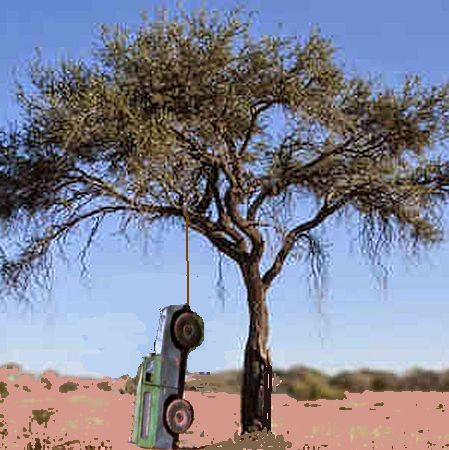
Finally, I received an email apologizing because they had gone to visit the natives, and when coming back the road, they found it was flooded with one of the historical rainfalls in the Argentinian Chaco well known for extreme dry and flood spells. They had to take refuge on a powerful “quebracho” tree, hanging their Land Rover from a branch. They spent 3 days there until the flood went down a little and they could ride home near Resistencia. But they had filled the 3 days translating, using the handy Toshiba laptop up the tree.
 An Ear by Mistake
You must be logged in to post a comment.