Continuing with the training on how to use computers to translate the Bible, I made another trip to Guatemala for the purpose of teaching the translators to use the software to help them expedite the whole process.
The first thing I had noticed while traveling to the city where the translators lived was the abundance of dust. When I was taken to the room where they kept the computer and printer, my observation about the dust became a nightmare.
The computer was covered by an old plastic hairdryer hood. It was a big round pink plastic bag with elastic connected by a hose to a hand held hairdryer. The keyboard and the printer were covered with some kind of plastic, all full of dust. The dust, they said, was just accumulated from the day before. Every time they used the computer they had to dust, uncover, and then cover again.
When I tried to use the keyboard, most of the keys were stuck so I decided to clean it. I asked for some alcohol and q-tips, and told them to give me some time to do the task. I was really glad to be left alone in the room because as soon as I took the last screw off the keyboard cover more than 30 tiny springs flew all over the room. I spend all night searching for each spring, cleaning each key component, praying for help, and finally inventing how to retain each spring in place so I could screw on the cover again.
Before breakfast the task was done and I proceeded to install the software. Once I installed the software, one of the translators main interest was to be able to print the books they were translating, in two columns, “like a real King James Bible” they say. One of the programs was able to print the chapters of the Bible in two columns. It was amazing to see the printer print a column and then devour back the page to start the second column.
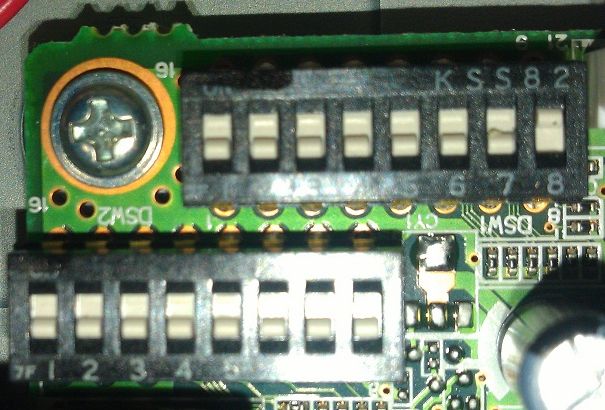
However, for this marvel to happen it was necessary to manually change the settings of the printers. The printer DIP switches are usually located on the bottom of the printer behind a small metal hatch that is held in place by a single Philips screw. So in order to change the sequence of the DIP switches, I asked for the printer manual. “Oh”, said the lady, “since we don’t understand the instructions, we sent the manual to our son in New York.”
So I spent some long time on a very expensive phone call getting the instructions from their son in New York on how to set the DIP switches to a correct position. Not only was the phone call expensive, but the printer manual was translated directly from Japanese and the English instructions did not make too much sense. That was a pretty common problem when I was installing computers and printers.
But finally after many tweaks, the printer was able to print one column, automatically go back to the beginning of the page, and then print the second column. Wow!
 An Ear by Mistake
You must be logged in to post a comment.